HANGAR & STORE
- STOREPurchase unowned ships with TALENTS.
- My hangarBrowse your ships and select the one you want to fly.
- UPGRADEImprove the stats of ships in your hangar. Each +1 stat upgrade costs 20 TALENTS.
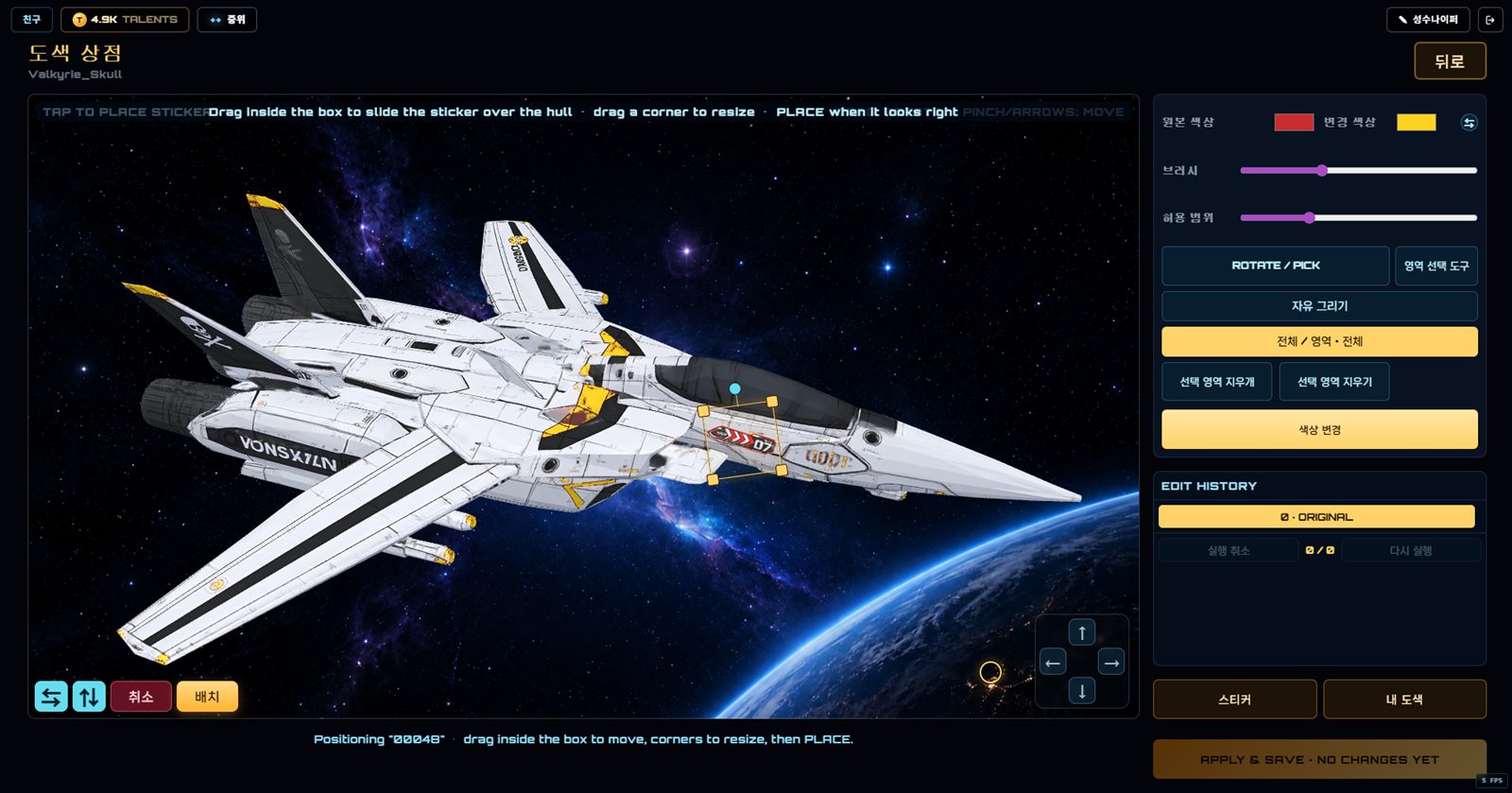
- PAINT SHOPOpen it beside Upgrade in the hangar to recolor panels, draw, place stickers and manage saved paints.
PAINT SHOP · BUTTON GUIDE
 123456789101112
- 1Pick the hull color to replace and the new color. The swap button reverses them.
- 2Brush changes stroke or selection size. Tolerance includes more similar shades around the picked source color.
- 3Drag to rotate the craft and tap a hull color to set the source color.
- 4Paint a mask over only the panels you want to change.
- 5Draw directly on the hull with Pencil, Pen or Brush.
- 6Choose whether color replacement affects the whole craft or only the selected mask.
- 7Erase part of the selected mask or clear the entire selection.
- 8Creates a preview edit from the current colors, scope and mask. It is not saved yet.
- 9Select an edit step or use Undo and Redo to compare and revise changes.
- 10Use arrows to move the view and +/− or pinch to zoom. View changes do not alter the paint selection.
- 11Choose, flip, move and resize stickers; MY PAINTS loads or manages saved designs.
- 12Review the cost, then permanently save and equip the finished design. A free pass is consumed here.
Play STARFARERTABLE OF CONTENTSDownload PDF